Real-Time Multi-Layered Dual-Grid Tiling
Figuring out how to do tiles right.
Why and the best case scenario.
To render a tile we first need to create a custom game engine in a low level programming language.
But, after that, we can eventually start thinking what we need from tiles in our, so called, VIDEOGAME:
Render Fast
We, usually, need to render hundreads of those tiles on the screen each frame.
Depending on the game view - we might even need to render thousands.
So, the speed of drawing one tile should be as minimal, as possible. Even if we try bake those tiles at startup or loading time, the faster - the more budget you have for actually interesting things in your game.
Fast to produce
Art takes time to produce.
Considering that even for a simple game you need quite a few tiles for it to look good - we need to care about the sanity of our artists.
This one is especially important for non-pixelart games.
Easy to decorate
Tiles are neat in filling the space, but you quickly start to notice how extremely repetetive they are.
Therefore, we need some way to decorate these tiles.
Either having a few variants per tile, or putting something above it, to cover the fact you’re putting a bunch of rectangles on the screen.
Best-case scenario
You put a square sprite in the square hole.
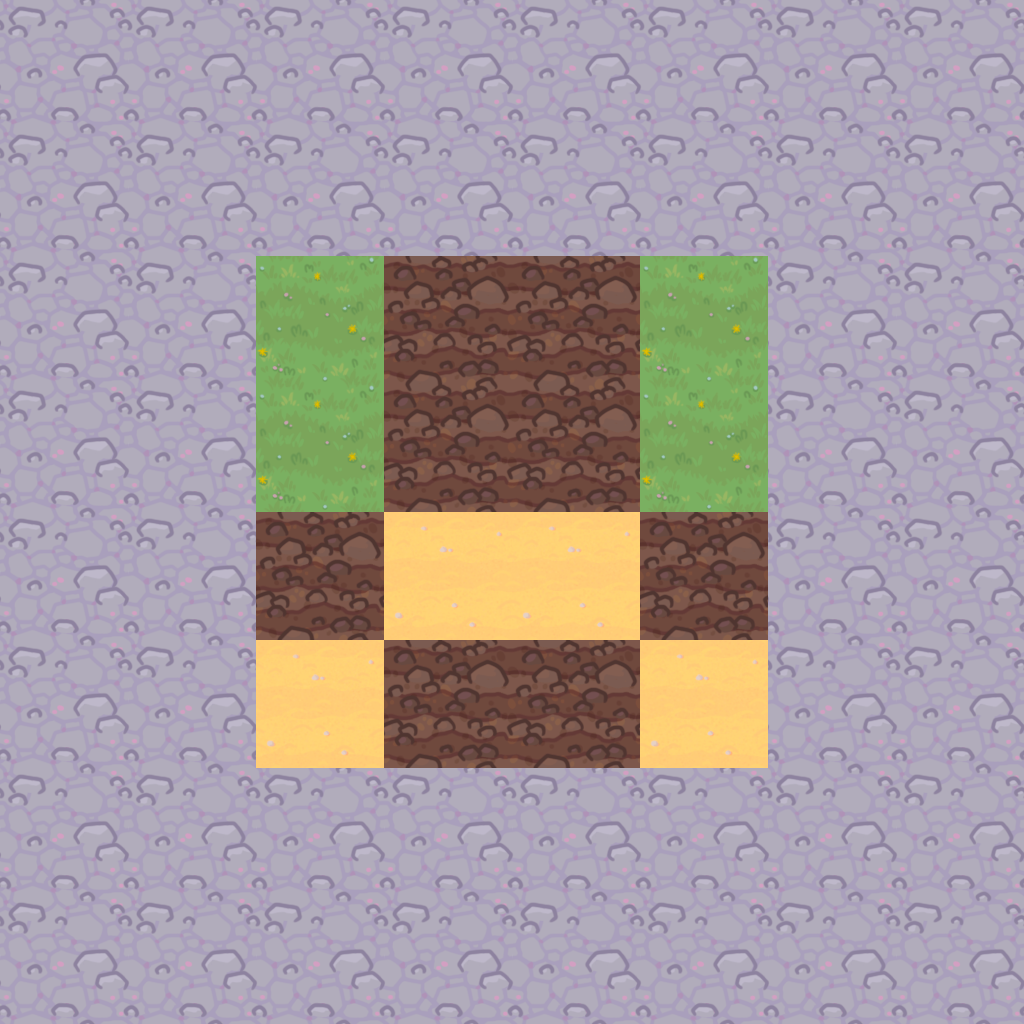
You’re done.
You feel accomplished and satisfied, sipping your green ice tea.
You continue developing the important parts of the game, instead of hyperfocusing on the look of the tiles.
Happy end!
Seriously, one image per tile. Insanely fast to render.
Easy to draw, since it’s only one image.
Easy to make variants, just copy and modify it a little.
You can even decorate them, by drawing some little decor elements randomly on top.
But, if yout have eyes and saw the picture above - it isn’t right.
This isn’t 3D land. Even if your 128x128 texture is drawn by a genious artist - it will still look horrible and unprofessional when put together.
Tiles fight with each other visually, but they need to either blend, or transition between each other, otherwise it looks very artificial.
You can get away with it, if your game is using low-res pixel art with minimalistic textures.
Add a checker pattern, outline and it will be good enough.
So, let’s go on a quick adventure to add some meaningful transitions.
Borders and Corners
What about slapping borders and corners on top of those tiles?
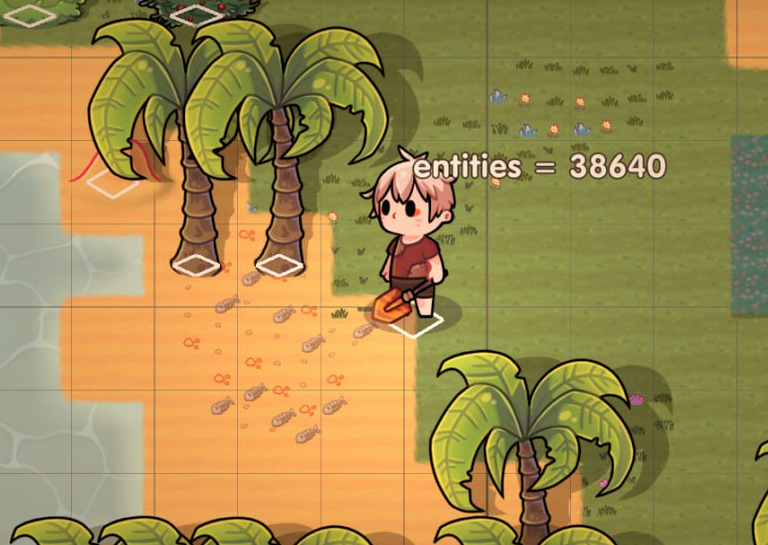
Not bad, imo
That’s the approach we took at first. It was still very effecient to produce more tiles without overwhelming ourselves and borders are easy to make.
It’s still very efficient, you just tell your artist to draw borders and corners.
I did a cute thing, where you have inner texture and whatever is left is calculated in the code to be borders and corners.
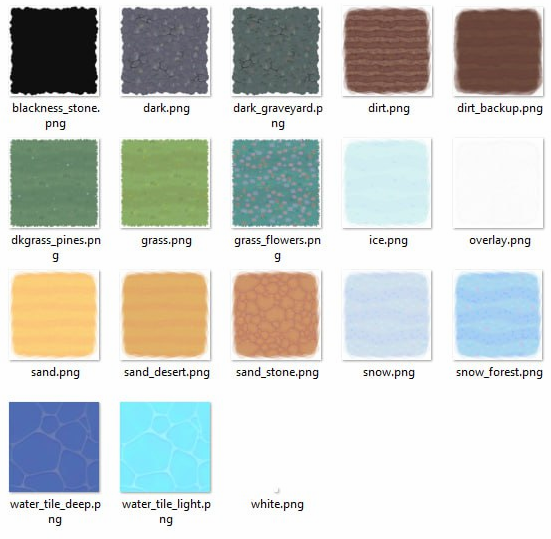
We didn’t need to autotile water, so the texture is just a regular “square hole”-sized sprite.
That’s a reasonable way to do it if you’re okay with tiles looking very square-ish.
…
Except, it’s really complicated to figure out where you actually need to put borders.
And on top of that it does have some artifacts.
In some cases borders can overlap. And we don’t control how this inner corner is looking.
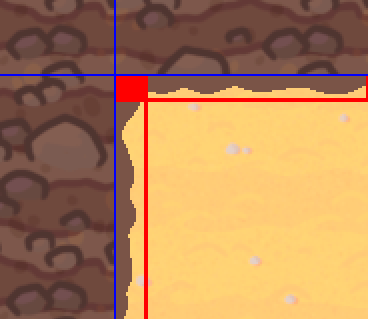
Still, it can work with some art styles.
Ok, let’s see where we are right now.
We want to control inner corners, we don’t want borders overlapping.
I guess we need to handle all the cases ourselves!
The usual way.
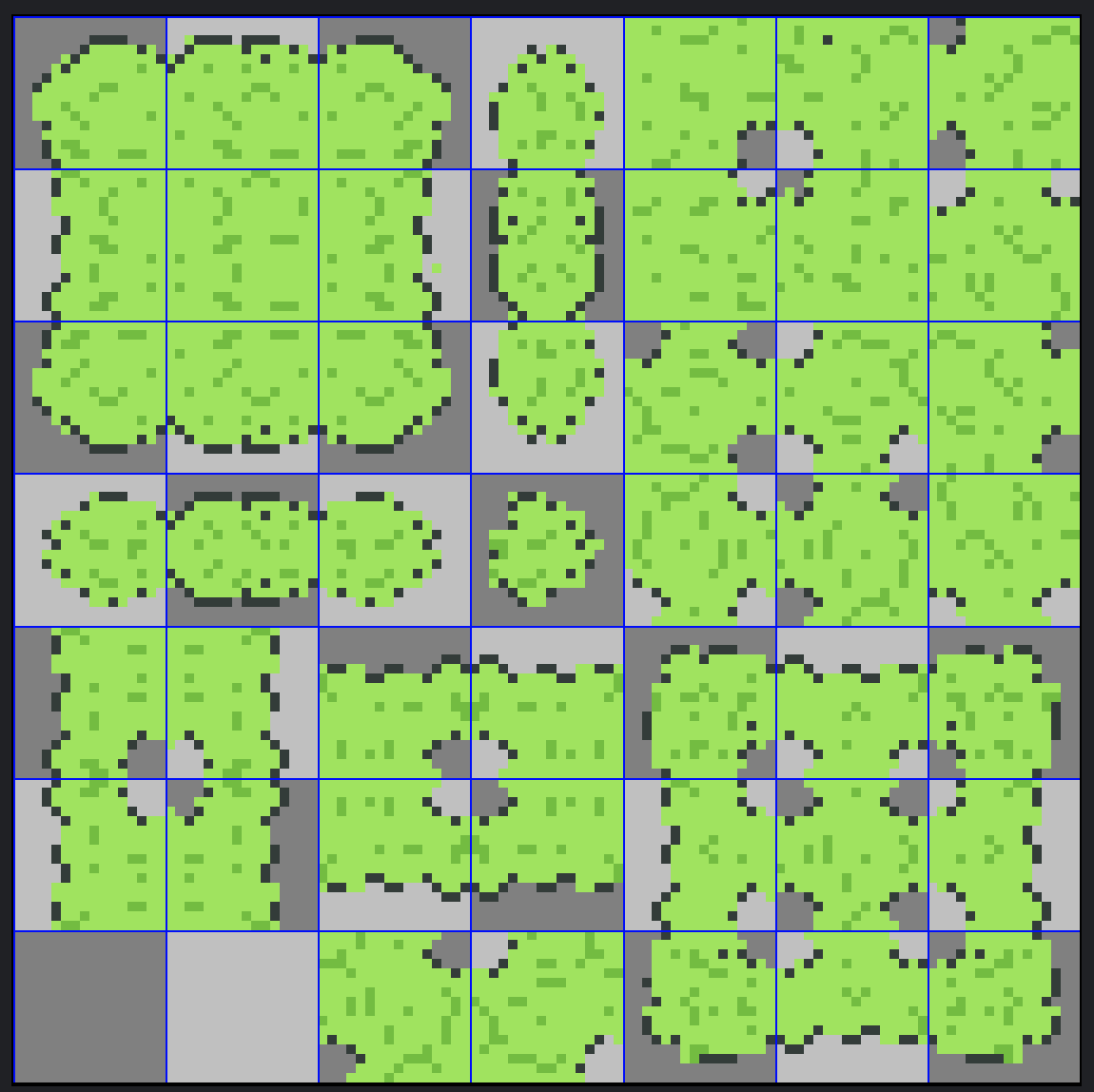
47?!
Hell, no! That’s too much work on the artist!
Going insane instead
Just hear me out.
What if we can make use of SDF in shaders so it would look more rounder?!
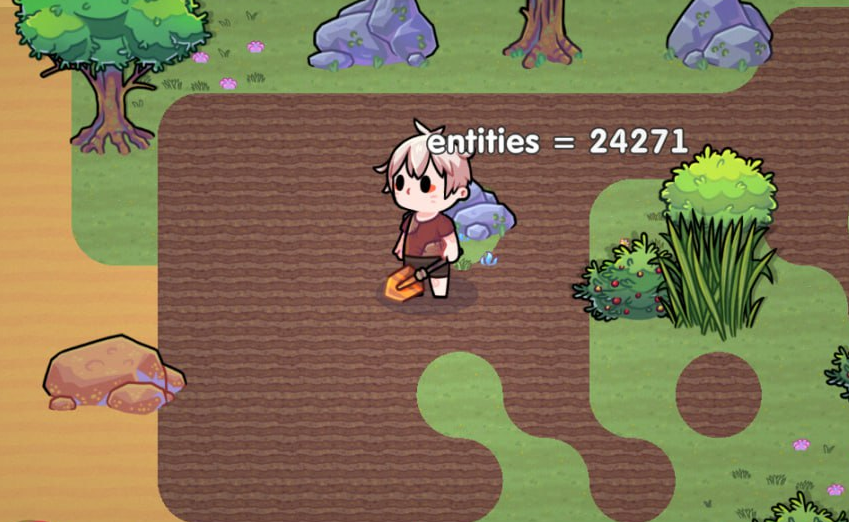
Nope, doesn’t look great.
Ok, what if we use voronoi for more cell-like look?
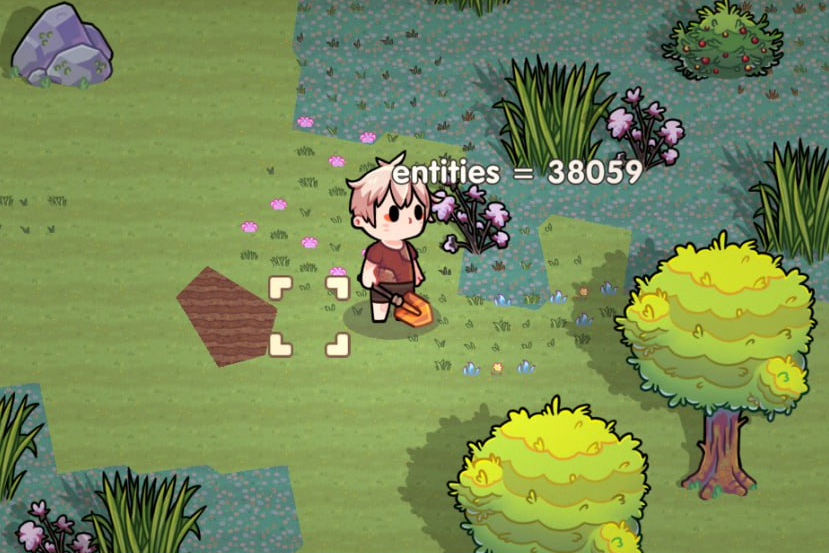
Well, not bad, but it’s really hard to communicate where exactly you modify the tiles.
And, of course, it still has very sharp transitions from one tile to another, except it’s a little bit more visually interesting.
What if we combine those two approaches? Voronoi + roundness of SDFs?
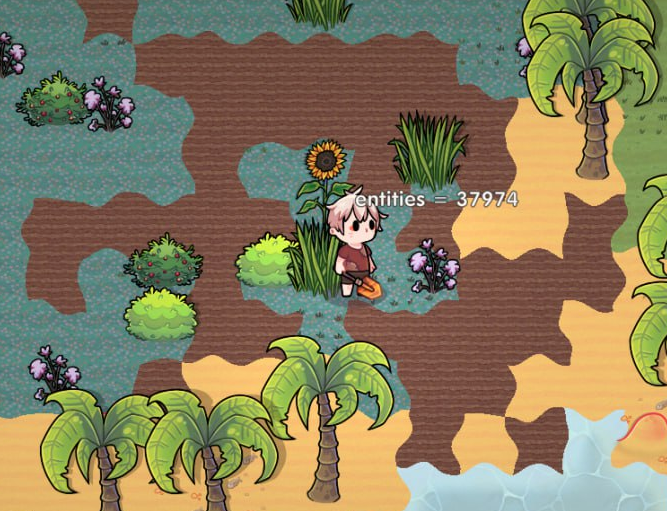
Interesting! Too sharp though.
What if… even more roundy?
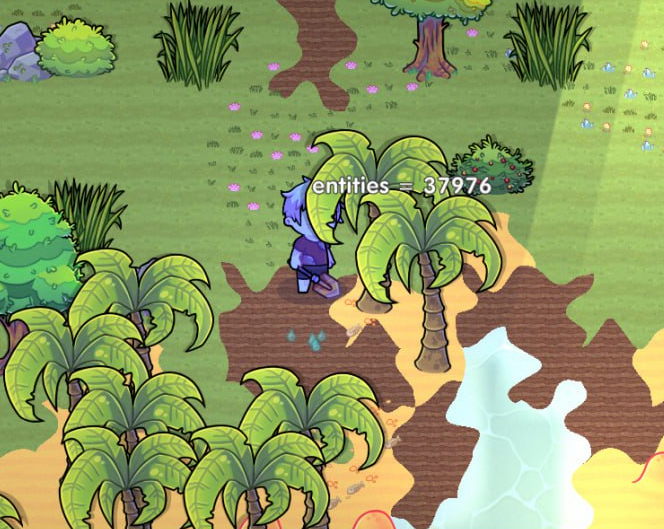
No comments.
What if… what is going here exactly?
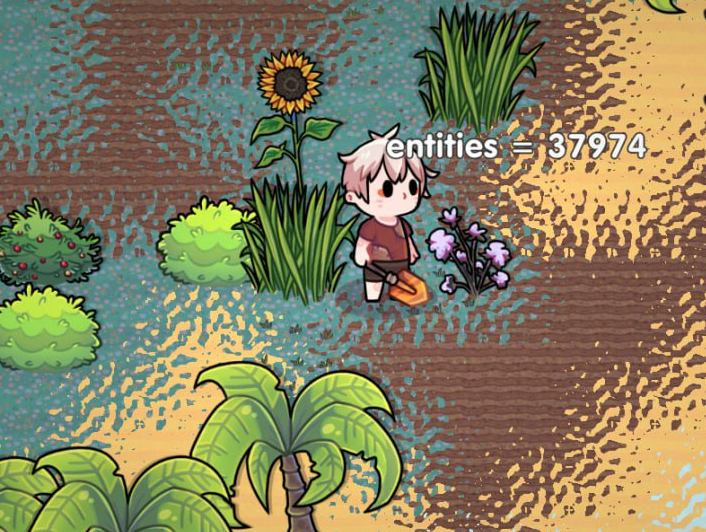
Got it. I’m not a shader expert and not even close to being qualified like people on Graphics Programming discord.
But doing tiles the normal way isn’t an option too. 47 textures is too much, considering at the moment of writing we have 34 different types of tiles.
I won’t even try to calculate how much images is it, too scary!
But, at least, there are ways to reduce an image count that is need to produce a tile.
Introducing…
Part II.
Dual-grid tiling system
It’s pretty simple. Instead of drawing every possible tile - you draw every possible corner of the tile!
Sounds a little counterintuitive, but it reduces the number of images you need to draw to produce a tile from 47 to 15!
And in some cases you can lower this number even more. For example, when you can mirror some of the variants.
We can’t :")
That’s how a tile looks for us now.
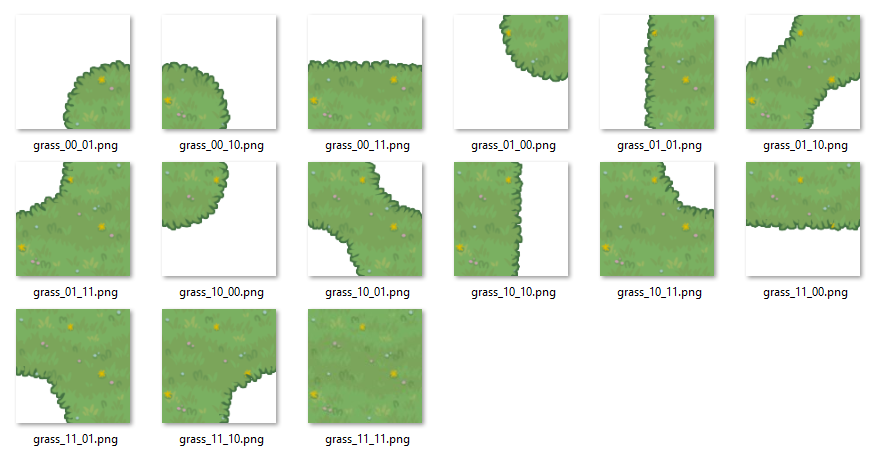
Yeah, way more work. Specifically, x15 more work. But now we can control how some cases look like.
No more overlapping borders and missing corners.
Let’s discuss some of the specifics first.
Browsing some research materials before-hand for dual-grid systems I saw people doing these tilesets by combining every possible tile with each other.
We can’t do that. We have 34 tiles and more to come, it’s a giant complexity bomb.
Instead, we just think about every corner as being empty or not. That’s why you see a transparent background where corners are empty.
That’s a thing we need to handle later.
“Multi-layered” part
Anyway, the whole thing is very simple. For every dual-grid tile you have 4 corners of actual tiles.
You assign a specific priority variable to them and sort them according to whichever is higher.
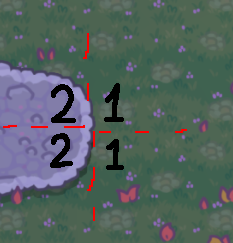
Rock will be drawn on top of grass because its priority is higher
The worst case scenario you will have 4 separate images on the same “tile”, covering the whole space.
But remember I mentioned transparent background?
Take a look at this image.
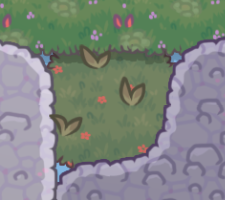
See those blue holes? That’s the result of tiles being weirdly shaped on intersection with other tiles.
It’s blue, cause we always draw the ocean before we start drawing tiles. If you have black background, for example, you would see black holes! Scary!
The fix is simple.
The bottom layer should always be drawn as a full tile, that’s it.
Just make the first layer you draw always be full. It even makes sense when you only have 1 layer on the “cell”.
What are additional bonuses of that system?
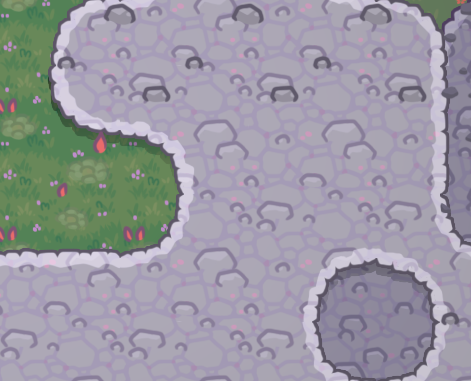
You can draw shadow for specific layers.
It gives a cute layered look.
Just before drawing a layer that needs a shadow we just draw the same tile part tinted black with transparent alpha and offset a few pixels down.
Part III.
“Real-Time” part
I don’t cache things. Period.
What does it mean?
The whole tilemap is calculated and drawn every single frame from scratch. Yes, even layers for every tile are sorted every single frame for every single tile.
It makes my life way easier, cause I don’t need to keep track of where and when I need to rebake the tiles.
You might be asking, it’s just quads, it’s not even 3D models, it shouldn’t be as bad!
Well, actually, yes. It’s not bad at all, compiling with enabled optimizations will produce fast enough code, so you can iterate over all the tiles on screen, check all 4 neigbours, sort them and then figure out what image from the spritesheet to put on the screen.
The crucial part is enabled optimizations. This whole system collapses in Debug builds. Too much iterations, so little loop optimizations.
What can we do?
Optimization 0: batching
That’s the thing I do by default for every single draw call in the game.
I have a big vertex buffer and index into it, so I reset the index to 0 every frame and start pushing new geometry into it.
Until I need to flush it to GPU when changing texture or using some unusual shader.
Nothing fancy here, but it will become very useful in a later optimization.
Optimization 1: just make it fast 5Head
The code looked like this:
    for ix: 0..tiles_width-1 {
        for iy: 0..tiles_height-1 {
            top_left     := top_left_chunk.get_tile(ix, iy);
            top_right    := top_left_chunk.get_tile(ix+1, iy);
            bottom_left  := top_left_chunk.get_tile(ix, iy+1);
            bottom_right := top_left_chunk.get_tile(ix+1, iy+1);

            correct_order := sort_them();

            for tile_part: correct_order {
                // the first one is always full tile, btw.
                draw_tile(tile_part, ix, iy);
            }

        }
    }
If you don’t know how to optimize things like that I highly recommend Computer, Enchance.
I won’t try to emulate simple optimizations on the pseudocode above, but generally what you want to do:
- Transform it to a single loop and unroll it if possible.
- Use effecient sorting algorithm and reuse the same memory. Remember that the maximum size of the layers you need to sort is 4.
- Optimize on how you gather data about neighbour tiles and how you get a priority values.
I use merge sort and have a pretty fast routine to get any data I need just from a single ID number of a neighbour tile.
Yes, I used caching :(
Optimization 2: Parallelize it.
The most of the gains comes from here.
Big shout out to the developer of Fat Goblins, who wrote the small module I use.
JaiParallel. Such a useful tool.
In short, it allows to just throw some loop into multiple threads. Some indexes will be execute on one thread, some on other.
    // this
    stuff :: (i: int, thread: int, userdata: $T) {}
    parallel_for(0, 100, stuff, userdata);

    // instead of this
    for i: 0..100 {
        stuff();
    }
Remember I said that having one big vertex buffer is very useful?
The most useful part is here.
Here are the facts:
- We have an index into an array of vertices.
- We don’t modify any data, only push data into the array.
- Our tiles don’t intersect each other, so order of rendering doesn’t matter.
So, with the magic of one atomic_add to the index into the buffer we can have a parallelized tile rendering!
    push_vertex :: (offset: int, v: Vertex, triangle: int) {
        ptr := cast(*Vertex)(buffer) + triangle*3 + offset;
        ptr.* = v;
    }

    push_triangle :: (v1: Vertex, v2: Vertex, v3: Vertex) {
        old_triangle := atomic_add(*triangle_index, 1);

        push_vertex(0, v1, old_triangle);
        push_vertex(1, v2, old_triangle);
        push_vertex(2, v3, old_triangle);
    }
And now we have a lot of tiles on the screen, 60 fps in Debug builds.
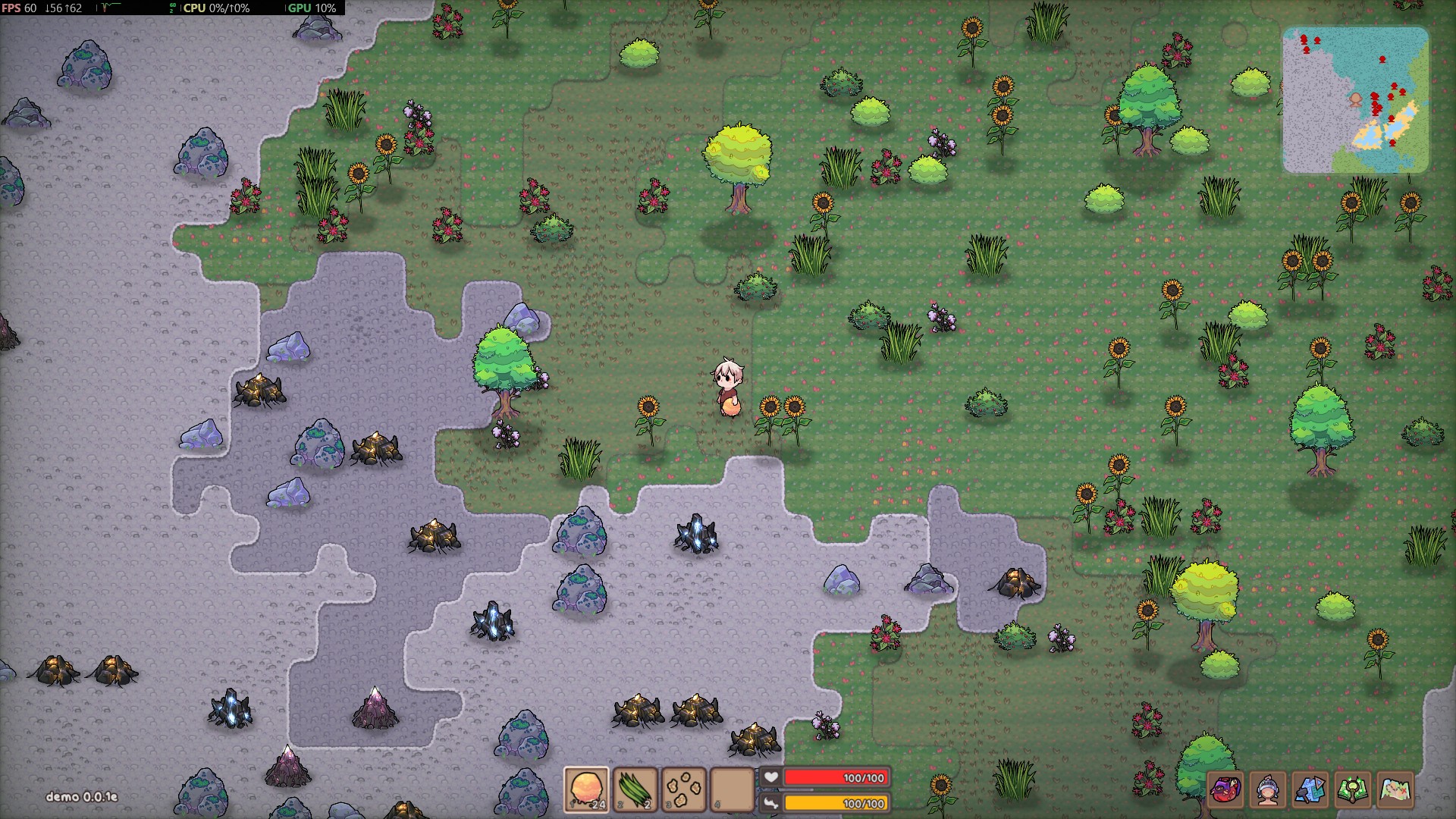
Not to mention the game does render and update other things!
Epilogue.
Making games is hard.
Being opinionated about making games is also hard.
Maybe just settle for one of the usual ways to draw tiles in the end.
Resources on the topic, which I found pretty useful:
jess::codes video
A talk by Townscaper developer
Casey’s performance-aware programming series
Also check out Fat Goblins